
AI Summary
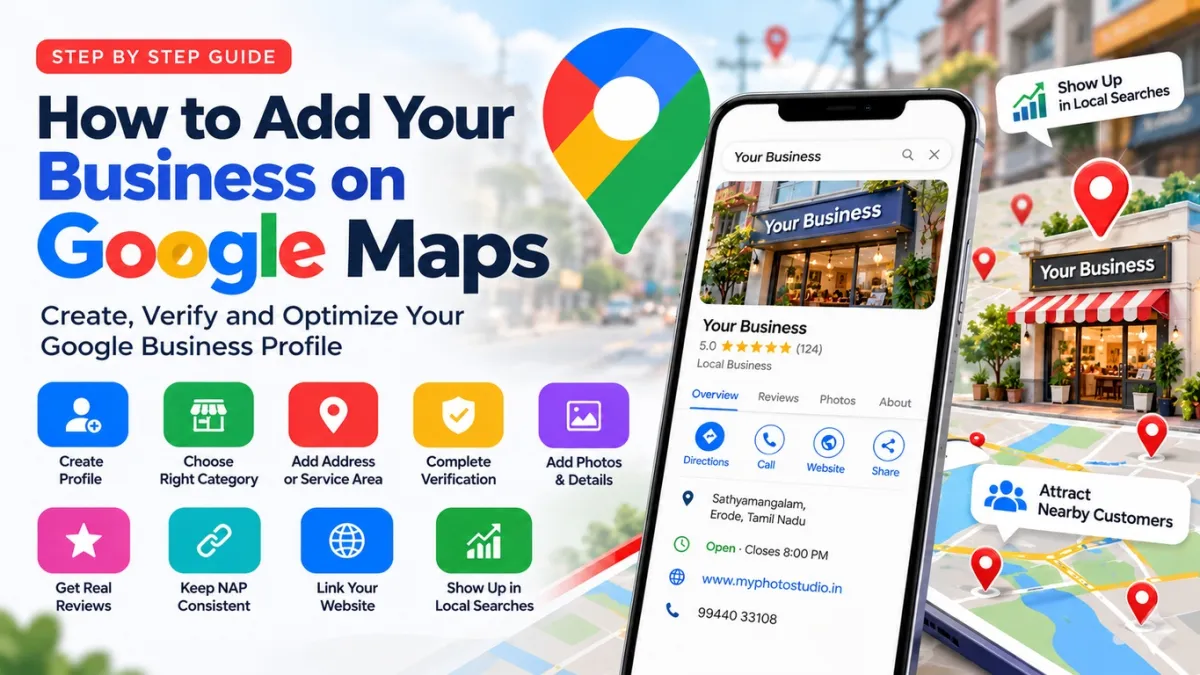
How to get your business on Google Maps: create and verify a free Google Business Profile, pick the right category and get real reviews.
To get your business on Google Maps, create a free Google Business Profile, choose the right category, add your address or service area, phone number, hours and website, and complete the verification Google asks for. After that, keep the profile complete with real photos, accurate details and genuine reviews, because that is what helps you show up when nearby customers search.
I am Sivashankar, a freelance web developer and SEO specialist in Sathyamangalam. In 15+ years I have worked with 100+ clients, many of them local shops and service businesses in Erode, Coimbatore and nearby towns. This is the step-by-step process I follow when I set up or fix a Google Maps listing.
Quick answer: the steps at a glance
- Check whether your business is already on Google Maps.
- Create or claim your Google Business Profile.
- Enter your real business name, without extra keywords.
- Choose the most accurate primary category.
- Add your address, or set service areas if customers do not visit you.
- Complete verification.
- Add hours, photos, services and a clear description.
- Ask real customers for reviews and reply to them.
- Keep your name, address and phone the same everywhere online.
- Link the profile to a website with clear service pages.
Is a Google Maps listing the same as a Google Business Profile?
Yes. Your Google Business Profile is the free listing that appears in Google Maps and in local results on Google Search, with your name, location, phone, hours, photos and reviews. When people say "put my shop on Google Maps", they mean creating and verifying this profile.
Step 1: Is your business already on Google Maps?
Search for your business name and town on Google Maps first. A customer or Google itself may have already added it. If you find it, open the listing and use the option to claim or manage it. Creating a second listing causes duplicates and confuses customers, so always claim the existing one.
Step 2: How do you create your Google Business Profile?
Go to Google Business Profile and sign in with a Google account that you, the owner, control. Do not use a staff member's or designer's account, because you can lose access if they leave. Then enter your business name, category, location or service area, phone number and website as Google prompts you.
Step 3: What business name should you use?
Use your real-world name only, the one on your board, bills and website. Many owners add words like "best", a service or a town, for example "Kumar Textiles Best Saree Shop Erode". Google's guidelines for representing your business do not allow this, and it can get a profile suspended. Put services and towns in your category, description and website instead.
Step 4: How do you choose the right category?
Your primary category strongly affects which searches you appear in. Choose the most specific one that matches your main business, not a general shop category. Start typing your main service and Google will suggest the available categories. Add secondary categories only for services you genuinely offer.
Step 5: Should you show your address or hide it?
- Customers visit you (shop, clinic, office, studio): show your full address.
- You visit customers (plumber, electrician, home tuition): hide your address and add service areas.
- Both: show your address and add service areas.
If you work from home and customers do not come there, hide the address. Never use a virtual office or someone else's address to appear in another town. Google treats that as a fake location.
Step 6: How does Google verification work?
Verification is how Google confirms you really run the business. Google decides which method you get. Depending on your business, it may ask for a short video of your location and signboard, or verification by phone, SMS, email or postcard. Follow the option shown in your profile and make sure your details match your signboard and address. Verification can take a few days, and your changes may not appear publicly until it is done.
Step 7: What should you add after verification?
- Hours: regular hours, plus special hours for festivals and holidays.
- Photos: your signboard, the outside, the inside, your products or work and your team. Real photos, not stock images.
- Services or products: in the simple words customers use.
- Description: what you do and who you serve, without stuffing keywords.
- Website: ideally a page that matches your main service.
Step 8: How do you get more Google reviews the right way?
Reviews build trust and help Google judge how well-known you are. Ask every happy customer, share your review link on WhatsApp after a job and reply to every review, good or bad, politely. My own Google profile has a 5.0 rating from 6 reviews, and I grow it the same slow, genuine way.
Do not buy reviews, offer gifts or discounts for them, post reviews for yourself or deliberately ask only happy customers. Google can remove reviews or restrict a profile that breaks these rules.
Step 9: Why does NAP consistency matter?
NAP means your business Name, Address and Phone number. Keep them exactly the same on Google, your website, Facebook, Instagram, JustDial, IndiaMART and any other directory. Update any old phone number or address you find. Matching details help Google trust that your information is correct.
Step 10: Does your website help your Google Maps ranking?
Yes. Google says local results depend mainly on relevance, distance and prominence. You cannot change distance, but a fast, mobile-friendly website with clear service pages, your town and contact details helps relevance and prominence. If you are planning one, read my guides on what decides website cost and how to choose a web designer.
Common Google Maps mistakes and how to fix them
| Mistake | What can happen | Fix |
|---|---|---|
| Keywords or town names in the business name | Profile can be suspended | Use only your real-world business name |
| Wrong or very general primary category | You appear for the wrong searches | Pick the most specific matching category |
| Two listings for the same business | Split reviews and confused customers | Claim the old one and ask Google to remove the duplicate |
| Profile on a staff or designer account | You lose access when they leave | Own the profile and add others as managers |
| Bought or incentivised reviews | Reviews removed or profile restricted | Ask real customers and reply to every review |
| Different phone or address on other sites | Google is less sure your details are right | Make name, address and phone match everywhere |
| Hours not updated for holidays | Customers arrive to a closed shop | Set special hours before festivals |
How long does it take to show up on Google Maps?
After verification, your profile can start appearing for searches of your business name fairly soon. Appearing for general searches like "textile shop near me" takes longer and depends on your category, the searcher's distance, your reviews, your website and nearby competitors. Nobody can guarantee a top position in Google Maps, because Google decides the ranking.
Want help setting up or fixing your listing?
If your business is not showing on Google Maps, your profile is suspended or you are unsure your setup is right, I can check and fix it as part of my local SEO work. See my SEO services in Erode, Sathyamangalam and Coimbatore pages, or start with my 7-day SEO guide for beginners. Contact me or call +91 99440 33108 (08:00 to 21:00). The first consultation is free.
Frequently asked questions
Is it free to put my business on Google Maps?
Yes. Creating and managing a Google Business Profile is free. Paid ads are a separate, optional service.
Can I add my business to Google Maps without a shop?
Yes. Create the profile as a service-area business, hide your address and add the towns you serve.
Why is my business not showing on Google Maps?
Common reasons are an unverified or suspended profile, a wrong category, a duplicate listing or the searcher being far away. Check your profile status first, then fix the details one by one.
How long does Google Business Profile verification take?
It depends on the method Google gives you. Some are quick, while a postcard or manual review can take several days.
Can I add keywords to my business name to rank higher?
No. Google's guidelines do not allow it, and it can get your profile suspended. Put keywords in your services, description and website.
How do I get more reviews on Google?
Ask every happy customer directly, share your review link on WhatsApp and reply to every review. Never buy reviews or reward customers for them.
Do I need a website to show on Google Maps?
No, but a website with clear service pages, your address and phone gives Google more information and gives customers more reasons to contact you.
Can someone guarantee my business will be first on Google Maps?
No. Google decides local rankings based on relevance, distance and prominence. An honest SEO expert can improve your profile, website and reviews, but cannot promise a fixed position.



0 Comment(s)
Be the first to leave a comment!